Your download is startingOn your phone?
It's a zip file. Don't unzip it: WP wants the zip as it is.Plugins are installed from a computer. Send yourself the link and open it there. The download starts by itself.
Nothing happened? Start the download again
Version 0.2.0.202610081338, 633 KB, built Oct 8, 2026
Check the file
sha256 38c21af5aa798482f41a9d8f5b35fd01b750183903330621f9666ef558c29484
Then install it in 3 steps
Upload it.
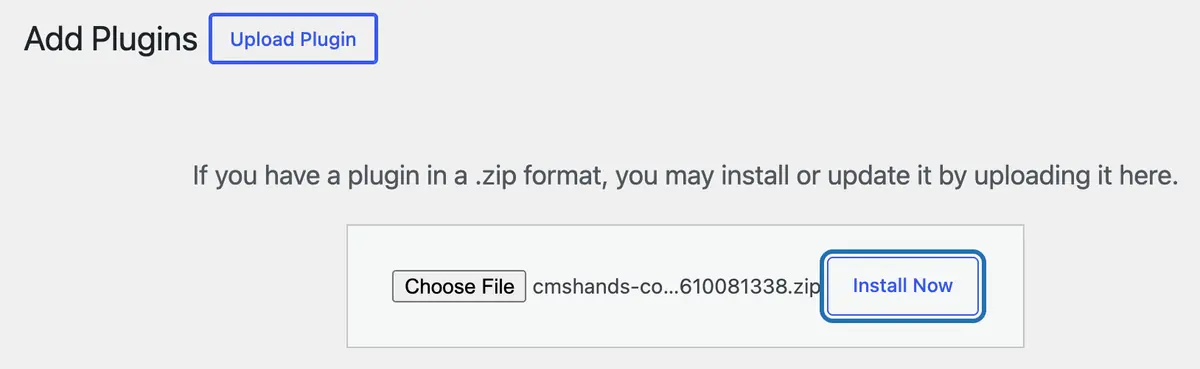
In your WP dashboard (the screens you log in to at yoursite.com/wp-admin), go to Plugins › Add Plugin and press Upload Plugin. Choose the zip, then press Install Now.
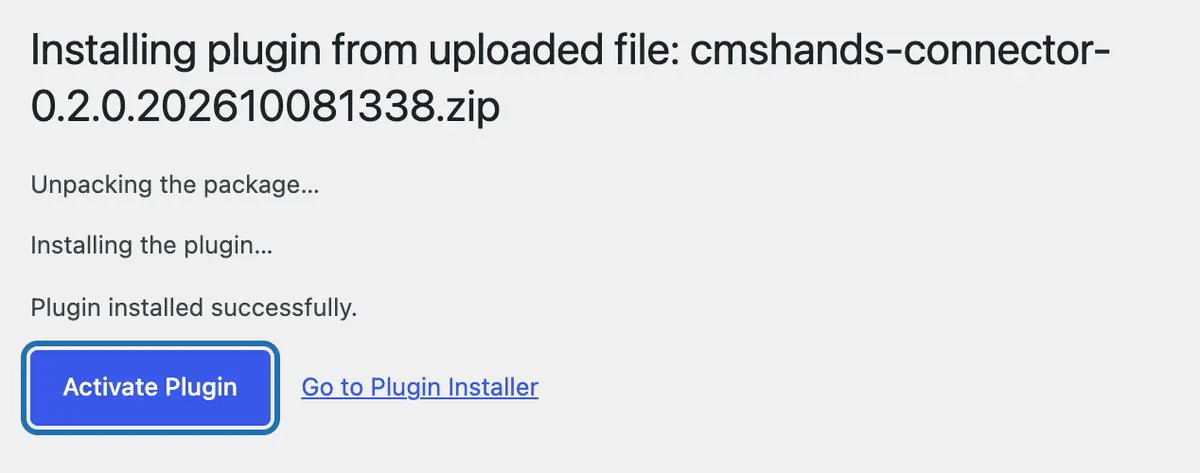
Activate it.
Press Activate Plugin. You're back on the Plugins screen, with a CMSHands box at the top.
Press Turn on.
Press Turn on CMSHands in that box. No account, no key, no password.



Then ask for something
The chat opens in your dashboard. It checks your site, adds the 3 rescue files and starts the daily check. Then ask it for a change: nothing changes until you press the button on its card.

If the upload doesn't work
My Mac unzipped the file.
Safari opens zip files by itself. Download it again in another browser, or first turn off Safari › Settings › General › Open “safe” files after downloading.
There's no Upload Plugin button.
You need an administrator login. Some hosts and site builders switch plugin uploads off. Your host can tell you.
WP says the plugin is already installed.
It's on your site already. Press Replace current with uploaded to use this copy, or go to Plugins and look for CMSHands Connector.
WP says my PHP or WP version is too old.
CMSHands needs WP 6.3 or newer and PHP 8.0 or newer. Your host sets the PHP version and can tell you how to change it.
Turn on didn't finish.
Press it again. If it stops again, write to us with your site's address and the message it showed.
Still stuck? Get help. A person reads every message.
Before you install
It's free to start.
3 changes to try it with no account, then 10 a month once you add your email. Questions are free, up to 30 a day. Nothing costs money until you choose it.
You don't share a password.
It works inside your dashboard with your own login. Your site stores only our public key, which lets it check that a request really comes from us. If WP ever can't load at all, the chat may ask for an SFTP login from your host (the login for your site's files). Giving it is up to you.
Nothing changes until you press the button.
Every change comes as a card. You read it, then press the button or Not now. Most changes undo in one click; when one can't, the card says so first.
Why isn't it in the WP plugin directory?
CMSHands updates itself from our site, and the directory's rules don't allow that. The version, size and sha256 fingerprint above let you check it's the real file.
You can remove it any time.
Press Disconnect this site in its settings, or delete the plugin. The rescue files and everything it stored go with it.
Who can read the chat?
A person at CMSHands can read the conversation. What the plugin sends us lists the rest.