Is CMSHands safe for your WP site?
It's an AI plugin for WordPress with admin rights, so it's the right thing to ask. Here's what it can and can't touch, what we keep, and who we are.
Needs WP 6.3 to 7.1 and PHP 8.0 or newer. What it installs
Needs WP 6.3 to 7.1, PHP 8.0 or newer, and an administrator login. One site per install.
The download is a plugin. Turning it on connects your site to cmshands.com and adds 3 small rescue files. Deleting the plugin removes them and everything it stored. What we send
Plugins are installed from a computer. Get the plugin here instead
Free to start: 3 changes with no account, then 10 a month with your email. Questions free, 30 a day. No card.
The short answer
Nothing changes until you press the button. Every change comes as a card: a box in the chat that shows exactly what would change.
Most changes undo in one click. When one can't be undone, like deleting a page, the card says so before you press.
It never asks for your WP password. Turning it on needs no login. The chat works inside WP as you, so WP's own permission checks apply.
You can remove it any time. Delete the plugin and it takes its files and settings with it.
What it can touch
It reads
- Your pages, posts and settings, when you ask something. A question changes nothing.
- Version numbers, and which plugins and themes you have.
- Error messages and WP's error log, when something breaks.
- Your site's 2 settings files,
wp-config.phpand.htaccess, with passwords and keys taken out first.
It changes, after you press the button
- Words on pages and posts
- Your site title and tagline
- Header, footer and styling, on the newer kind of WP theme (your dashboard has Appearance › Editor)
- Plugins from the WP plugin directory: install, switch on or off, update, or go back to the version that worked
It never
- Asks for your WP password, adds users or resets passwords
- Edits the code files of your theme or plugins
- Has a tool to run PHP or database commands. Updates and repairs are fixed, named jobs
- Changes anything while you're only asking a question
One exception: repairs. When your site is down you can't reach the chat, so a person at CMSHands approves the repair instead. How a WordPress site repair works, and what happens when something goes wrong.
Its own updates. The plugin turns on WP's auto-update for itself, once. Switch that off on your Plugins screen and it stays off.
How a change is made
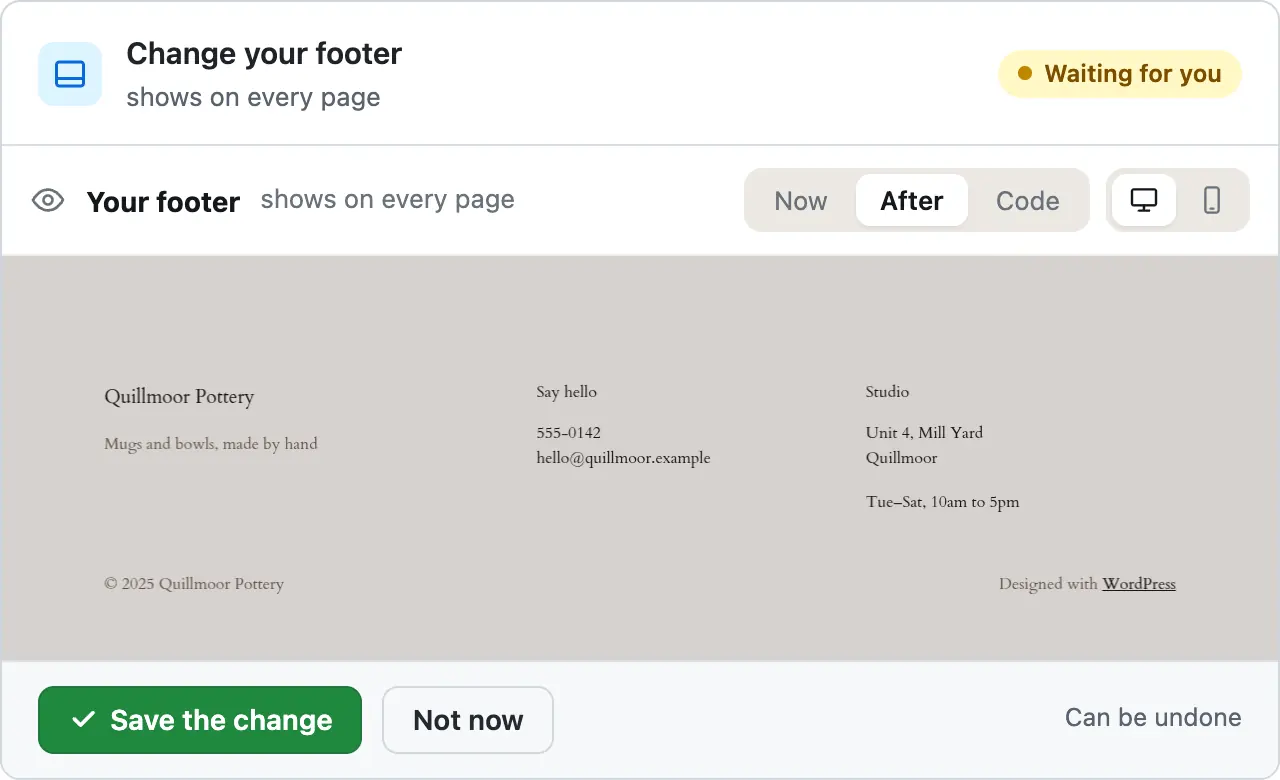
You see it first. Old words in red, new words in green.
It won't overwrite your edits. It reads your site again before it changes or undoes anything. If you edited the same thing, it stops and tells you.
How we reach your site
Every request is signed.
Your site checks the signature before it does anything. A request without a valid one is refused.
Your site keeps only our public key.
It can check our signature but can't make one. The key that signs stays on our side, encrypted.
Each request works once.
Your site remembers every request it has run, so a copied one can't be used again.
The rescue files answer only us.
These are 3 small files the plugin adds so we can reach your site even when WP can't start. To anyone else they look like a page that isn't there.
If something goes wrong
Updates put themselves back. After a plugin update it checks your site. If the site got worse, the old version goes back on its own.
A person checks every repair. When your site is down you can't reach the chat, so a person at CMSHands approves the fix before it runs.
It checks your pages after the fix. It loads your home page, login, dashboard and a post again before it calls the repair done.
Only if CMSHands was there first. It can't be installed into a site that won't load. Install it while your site works. If it's already down, what common WordPress errors mean helps you get it back by hand.
A plugin update that broke our test site, and went back on its own
You press the button

- Checking your site before the change14 s
- Updating Contact Form 7 to 6.2.116 s
- Checking your site17 s
Contact Form 7 6.2.1 broke your site when I checked it, so I put 6.1.7 back straight away. It is running 6.1.7 again.
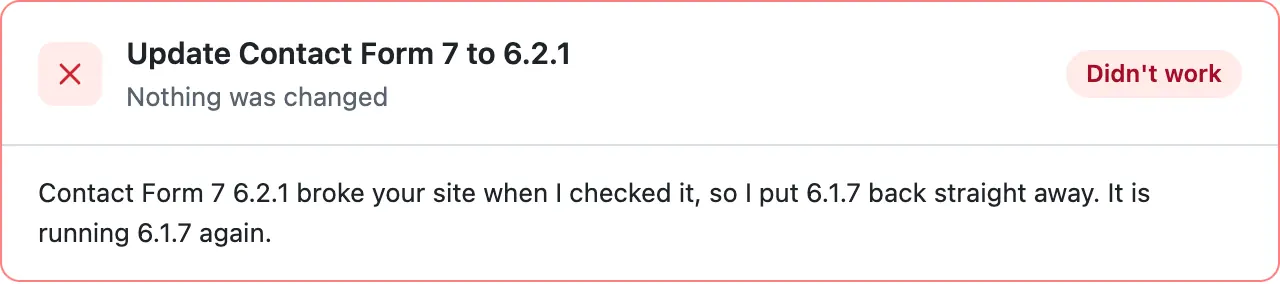
Step times count from the moment the request was sent.
A real run on our test site, Quillmoor Pottery (WP 7.1.3, Twenty Twenty-Four), . From asking to done, it took 55 seconds.
Your data
What the plugin sends us
Your site's addresses and versions, the list of plugins and themes, error messages, and what the assistant reads to answer you. What the plugin sends us, in full
Who reads your chat
People at CMSHands can read your chat. We read chats where something went wrong, like an undo, and 1 in 20 of the others at random, to fix mistakes and make answers better. What the assistant read on your site is deleted after 90 days. Your chat itself stays until you ask us to delete it.
Where it runs
Our service and its database run on a Google Cloud server in Poland. The assistant's answers come from an AI model run by an outside AI company. For each chat we send it your message and what the assistant reads on your site.
How long we keep it
- Files you attach to the chat
- 7 days
- Before-and-after pictures of a change
- 30 days
- Copies of files and settings, from the daily check and before a repair
- 30 days. The newest stays, so a repair can always put things back.
- What the assistant read and did in each chat
- 90 days
- Results of the daily check
- 14 days
- The words of emails we send you
- 90 days
- What a repair did and how it went
- The file contents go 30 days after the repair ends. The rest stays.
- A note on each task: what kind it was and how it ended, never your words
- 2 years
- Your host's SFTP login, if you gave it
- Until you remove your site, or sooner if you ask
- The chat you see in your dashboard
- Until you ask us to delete it
Removing it
Press Disconnect this site in the plugin's settings, or delete the plugin on your Plugins screen. Either way it removes the rescue files and everything it stored on your site, and tells us.
Changes you approved stay. They're part of your site now.
Then a person at CMSHands removes your site on our side. We delete its keys, any SFTP login and the copies of your files, and stop checking it.
We keep a record that your site was connected, its chat and what repairs did, without file contents. Want that gone too? Email privacy@cmshands.com.
Who makes it
- Company
- RankRolo Limited
- Hong Kong company no.
- 78233372
- Registered address
- 8/F, China Hong Kong Tower, 8-12 Hennessy Road, Wan Chai, Hong Kong
- hello@cmshands.com
- Help with your site
- support@cmshands.com
- Privacy and your data
- privacy@cmshands.com
Who we are, and how we test what this site shows
Page updated .
Try it on your own site
- Nothing changes without your OK
- Undo in one click, or a warning first
- No account, no password to share
Free to start: 3 changes with no account, then 10 a month with your email. Questions free, 30 a day. No card.