
Hide the title on a WP page
A free plugin adds a chat to your WP dashboard. Type “Hide the title on the Contact page.” See the change first, press the button, undo in one click.
Block themes with a no-title page template, like Twenty Twenty-Four. How to tell
- Nothing changes without your OK
- Undo in one click, or a warning first
- No account, no password to share
Needs WP 6.3 to 7.1, PHP 8.0 or newer, and an administrator login. One site per install.
The download is a plugin. Turning it on connects your site to cmshands.com and adds 3 small rescue files. Deleting the plugin removes them and everything it stored. What we send
Hide the title on the Contact page.

Watch it do this on a real site

You ask
This is the Contact page on our test site before: a big Contact heading at the top. You ask for it to go, in the chat in your WP dashboard.
Hide the title on the Contact page.
I'll look at the Contact page and how your theme renders page titles.
You see it first
It reads the page and your theme's templates, then shows a card. Green is the template it would pick, page-no-title. The red line is empty because the page used the default. Nothing has changed yet.
This sets the Contact page to the theme's "Page No Title" template, so it affects only that page; other pages keep their titles.
- 2 secondsLooking for what you meant
- 3 secondsLooking at your themes
- 5 secondsReading one of your pages
- 6 secondsLooking at your theme’s colours and sizes
- 8 secondsReading one of your pages
- 9 secondsReading a page template
- 14 secondsPreparing the change for your OK

You press the button
Only now does it change the site. It switches the page's template, reads it back to check, and the card turns green with an Undo link.
- 22 secondsUpdating one of your pages
- 23 secondsChecking the change

It's on the site
The Contact page on the test site right after: the heading is gone, and the phone number and the form move up under the menu. The menu still says Contact.
Done. I checked afterwards, and it now says "page-no-title".

Undo, if you want
One press of Undo put the default template back, and the Contact heading came back with it. It checked again and showed what it put back.
Undone. I checked afterwards, and it's back the way it was.
- 31 secondsReverting the change
- 32 secondsChecking the change
A real run on our test site, Quillmoor Pottery (WP 7.1.3, Twenty Twenty-Four), Oct 11, 2026. From asking to done, it took 23 seconds.
That's the whole job. The plugin is free: 3 changes to try it, no account. Nothing changes until you press the button.
Needs WP 6.3 to 7.1, PHP 8.0 or newer, and an administrator login. One site per install.
The download is a plugin. Turning it on connects your site to cmshands.com and adds 3 small rescue files. Deleting the plugin removes them and everything it stored. What we send
How to hide the page title in WordPress yourself
Checked on WP 7.1, Oct 11, 2026
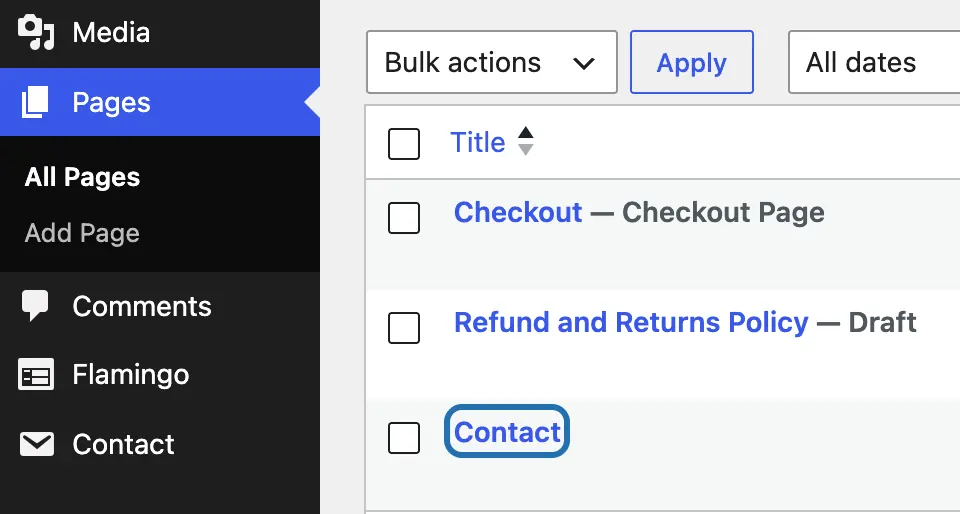
1. Open your WP dashboard, the screens you log in to at yoursite.com/wp-admin. In Pages › All Pages, click the page's name.
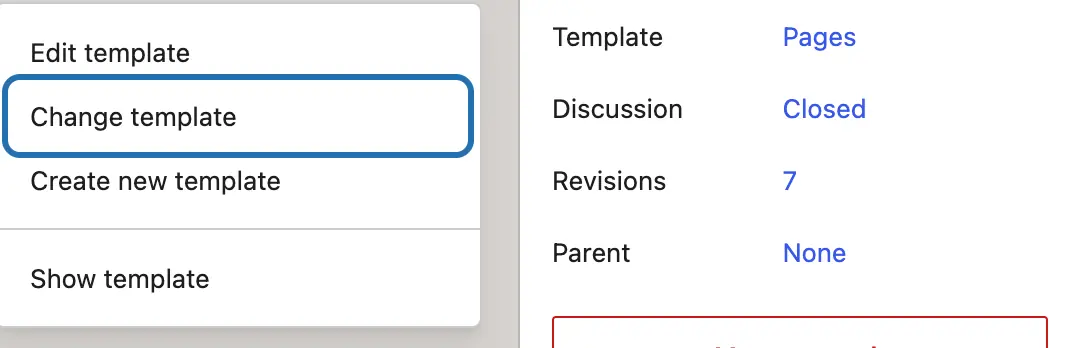
2. In the Page panel on the right, click the name beside Template, the layout this page uses. Here it's Pages. Choose Change template.
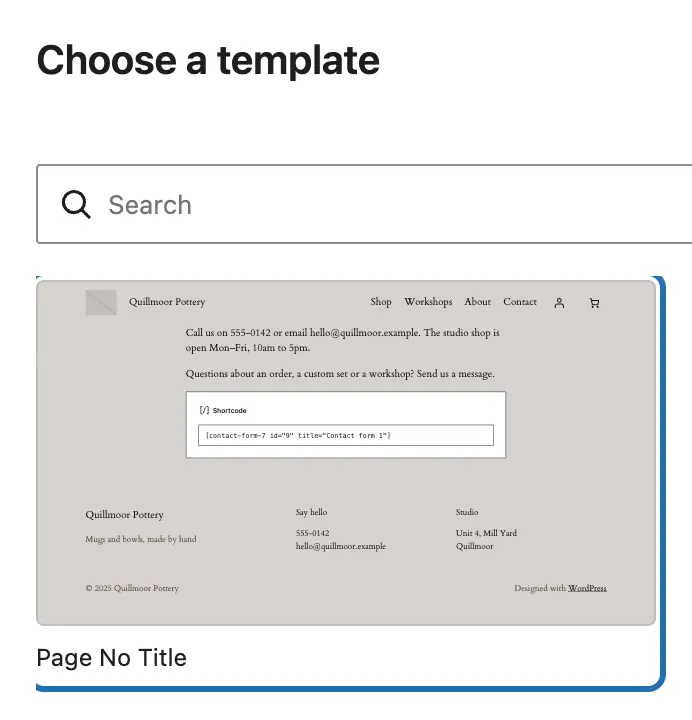
3. Pick a template without the title, like Page No Title. Twenty Twenty-Four and Twenty Twenty-Five both come with one.
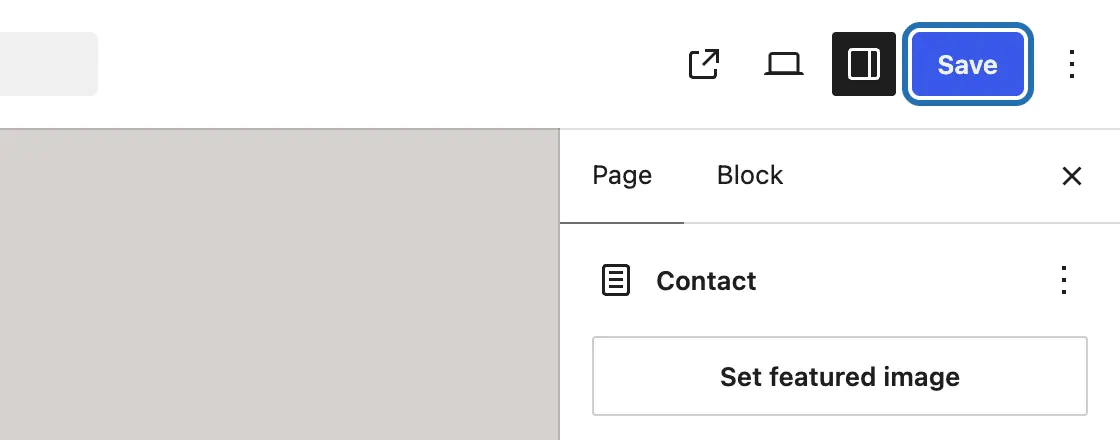
4. Press Save at the top right. The editor still shows the title. Open the page on your site: it's gone there.
5. To bring the title back, click the template's name again and choose Use default template. Then press Save.
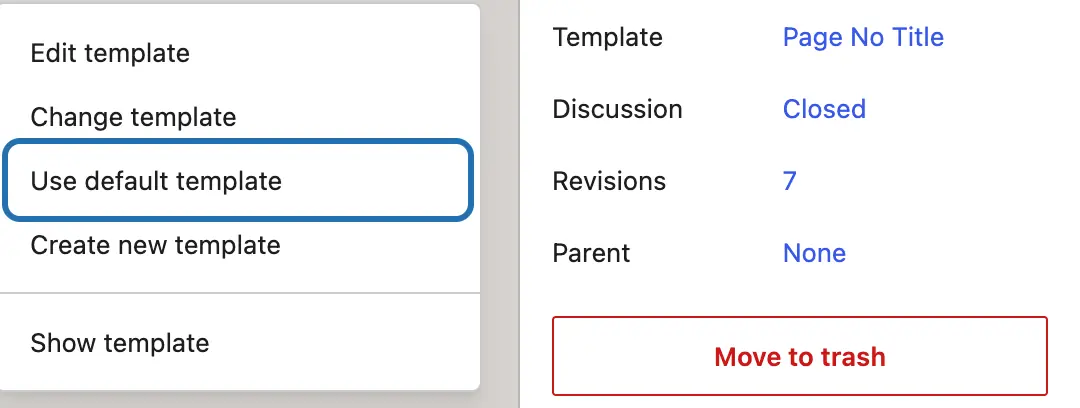


On an older (classic) theme, the kind with Appearance › Customize instead of Editor, the steps depend on your theme. Look in the page's panel for a Template choice, or a hide-title setting your theme adds.
Hiding the title doesn't delete it. The page keeps its name in your page list and in the browser tab. A template you pick for one page changes that page only. CMSHands keeps the page's old template setting on the card, even when it was the default, so Undo puts the title back.
What it won't do here
Themes without a no-title template
The title on every page at once
Older (classic) themes
Page-builder pages
Why it won't wreck your site
Nothing changes until you press the button.
One click undoes it.
It won't overwrite your edits.
Free to start
| No account | With your email | Paid plan | |
|---|---|---|---|
| Changes | 3 to try it | 10 every month | Coming. Nothing costs money until you choose it. |
| Questions | 30 a day | 100 a day | |
| If it breaks | Daily check and crash rescue | The same, plus email alerts |
Undo a change within 24 hours and it doesn't count. If you haven't added an email after 30 days, only crash rescue stays on until you add one. A change is one card you approve. A job that touches several pages or plugins is several changes.
Questions
Can I hide the title on one page only?
Yes. A template you pick for a page applies to that page only. Switch it to a no-title template, like Page No Title, and every other page keeps its title. That's what CMSHands did in our test run: it changed the Contact page's template and nothing else.
How do I hide the title on every page?
Edit the template your pages share. On a block theme, go to Appearance › Editor › Templates and open the one for pages (on Twenty Twenty-Four it's Pages). Click the big title, choose Delete from its ⋮ menu, then press Save. Every page that uses the template loses its title. WP keeps your theme's original, so you can reset it later. We haven't tested CMSHands on this yet.
Is hiding a page title the same as removing it?
No, and hiding is usually what you want. A hidden title still names the page in Pages › All Pages and in the browser tab, which search engines read too. It's only left off the top of the page. If you delete the title instead, your page list shows “(no title)” and the browser tab loses the page's name.
Why does the editor still show the title?
The editor keeps a title box so you can still name the page. What visitors see comes from the template. On our test site, after we picked Page No Title, the title stayed in the editor. It only disappears on the site itself, once the change is saved.
Does hiding the page title hurt SEO?
Not by itself. WP still puts the title in the page's title tag, the name shown in the browser tab, which search engines read too. What goes is the big heading at the top of the page. If nothing else on the page says what it's about, add a heading of your own near the top.
Is it free?
To start, yes: 3 changes with no account, then 10 a month once you add your email. Questions are free, up to 30 a day (100 with your email).
Written by CMSHands team.
Try it on a page of your own
Needs WP 6.3 to 7.1, PHP 8.0 or newer, and an administrator login. One site per install.
The download is a plugin. Turning it on connects your site to cmshands.com and adds 3 small rescue files. Deleting the plugin removes them and everything it stored. What we send
Download the plugin.
It's free: 3 changes to try it. No account, no card.
Upload and activate it.
In your dashboard: Plugins › Add Plugin › Upload Plugin (Add New Plugin on older WP). Choose the file, press Install Now, then Activate Plugin.
Press Turn on.
Press Turn on CMSHands. No account, no key, no password.