Import a CSV into WP: posts, pages, products
A free plugin adds a chat to your WP dashboard. Attach your sheet and type “Make a page for each class in this sheet.” Nothing changes until you press.
Imports are on the paid plan, not open yet. Text only, no images.
Needs WP 6.3 to 7.1 and PHP 8.0 or newer. What it installs
Needs WP 6.3 to 7.1, PHP 8.0 or newer, and an administrator login. One site per install.
The download is a plugin. Turning it on connects your site to cmshands.com and adds 3 small rescue files. Deleting the plugin removes them and everything it stored. What we send
Plugins are installed from a computer. Get the plugin here instead
- Nothing changes without your OK
- Undo in one click, or a warning first
- No account, no password to share
Imports open with the paid plan. The rest works now.
Make a page for each class in this sheet.

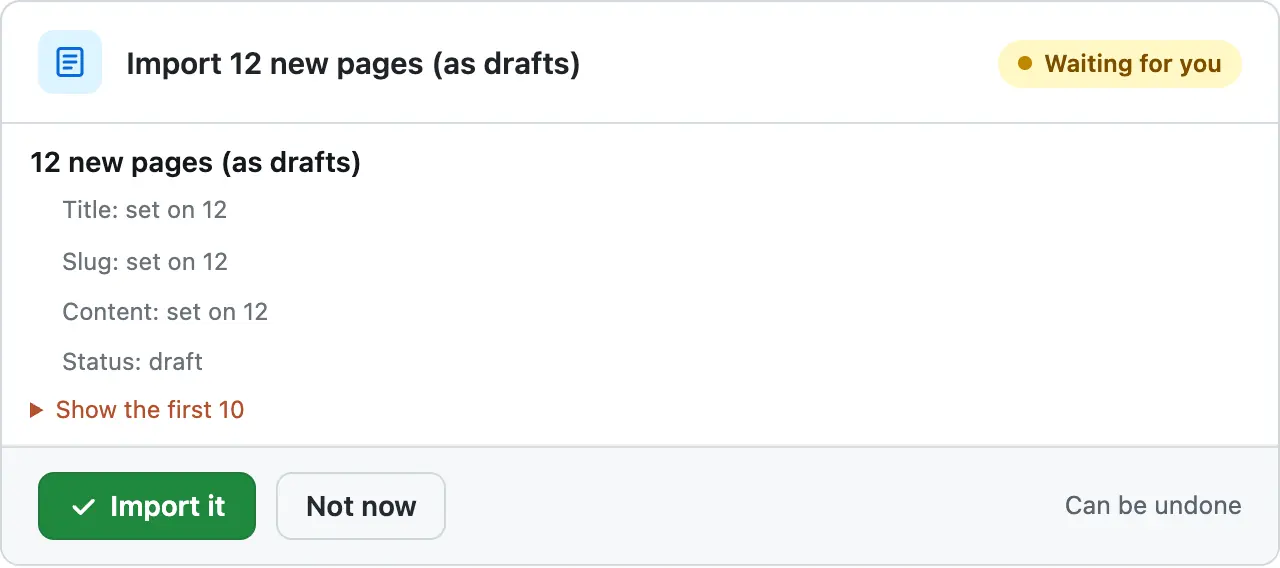
12 new pages (as drafts)
Title: set on 12
Slug: set on 12
Content: set on 12
Status: draft
Show the first 10
All 12 classes from the sheet are in one card. They go in as drafts, each with a "Book now" button pointing at your Contact page — I mapped the price column as dollars and assumed the times are as written.
A real run on our test site, Oct 14, 2026. From asking to done, it took 1 minute 20 seconds. Go through it step by step
Watch it do this on a real site
You attach the sheet
The sheet is one we made up for our test site: 12 pottery classes in 5 columns, named title, day, time, price and description. It went in as it was.
You attach the sheet
The sheet is one we made up for our test site: 12 pottery classes in 5 columns, named title, day, time, price and description. It went in as it was.
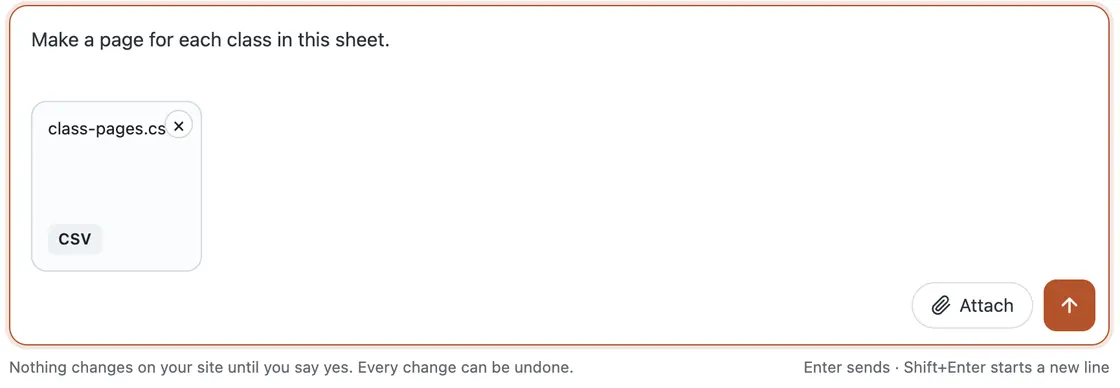
You check one card
It read the sheet, looked at one of the site's pages and the theme, then checked the import against the site. About 28 seconds after the request, one card showed the whole job: 12 new pages as drafts, each with a title, a web address and its text. Nothing had changed yet.
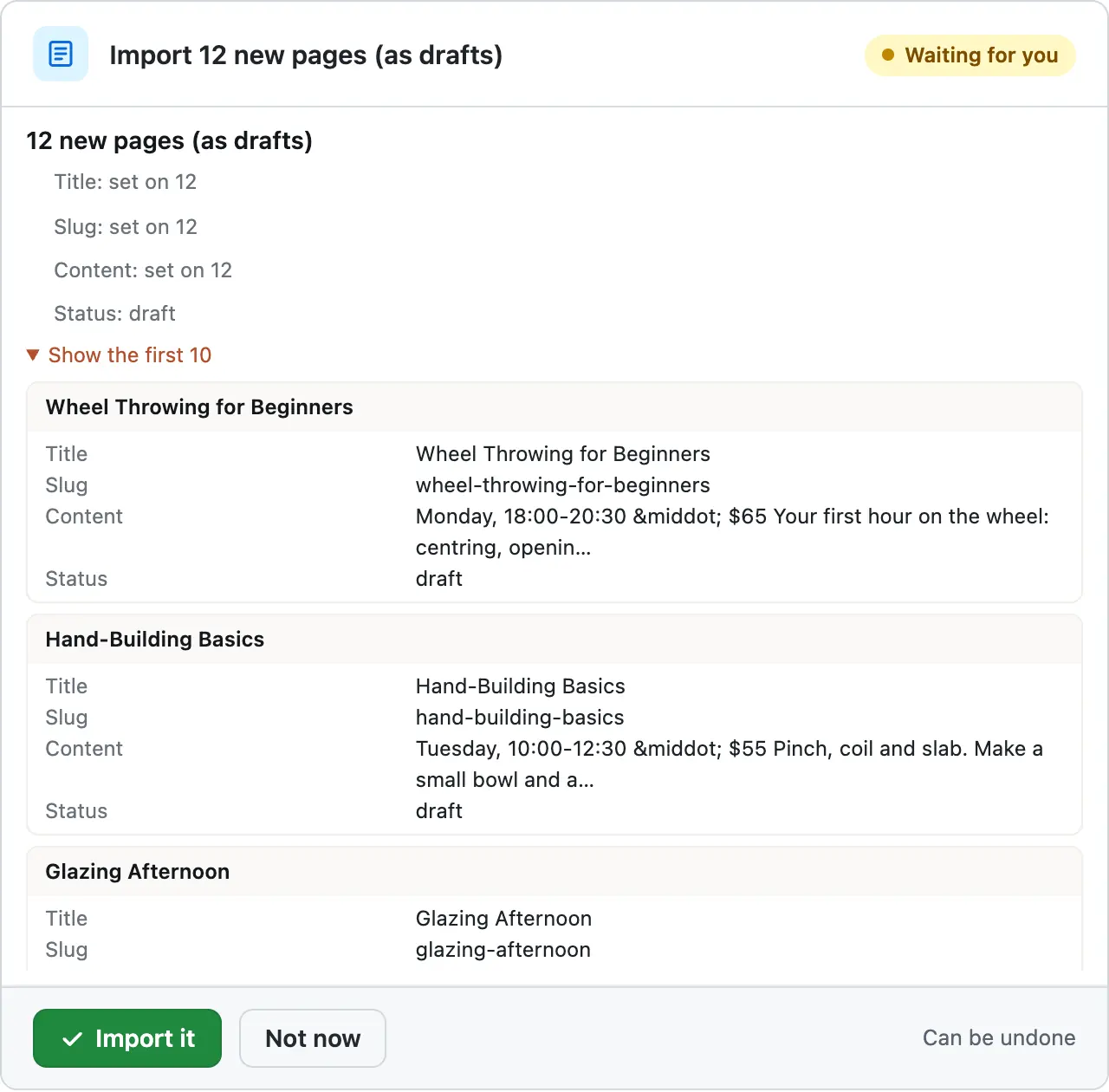
The pages, before they go in
Show the first 10 opens the pages on the same card, each with its values as they will be saved: title, web address, text and status. The first was Wheel Throwing for Beginners, Monday, 18:00-20:30, $65. Nothing happens until you press Import it.
Added, as drafts
We pressed Import it about a minute after the request. It added all 12 pages in about 3 seconds. They went in as drafts, so visitors didn't see them yet. The card turned green, with an Undo link.
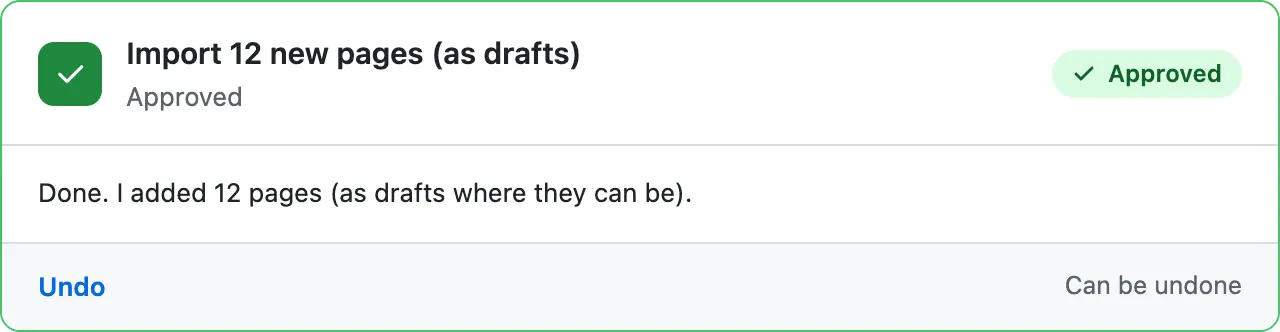
One Undo takes it all out
Then we pressed Undo. About 2 seconds later the 12 pages were in the trash, where they stay for 30 days in case you want them back.
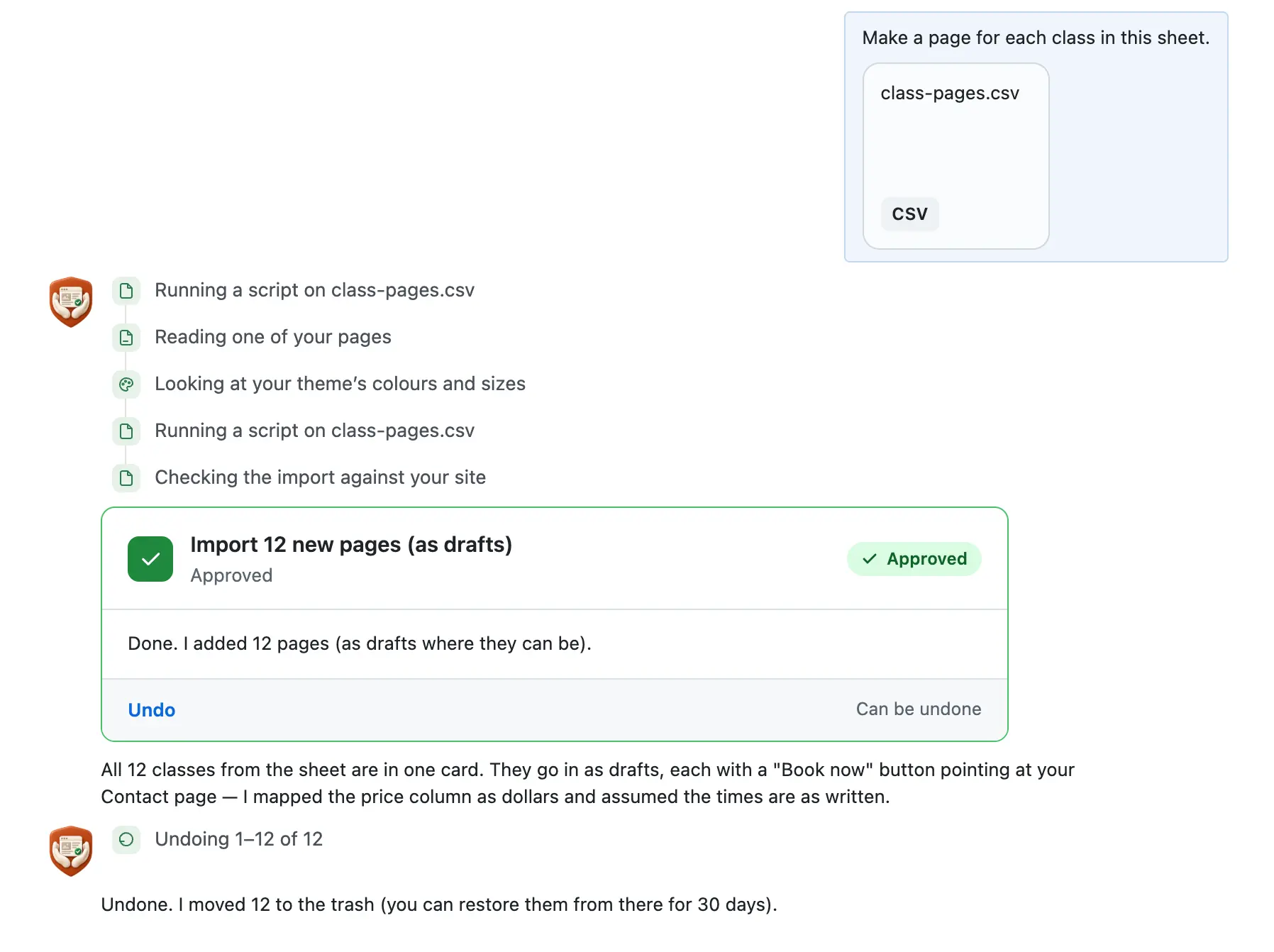
Quillmoor Pottery, WP 7.1.3, Twenty Twenty-Four. Imports are on the paid plan, which isn't open yet. Step times count from the moment the request was sent.
- You attach a CSV or Excel file in the chat and say what you want. Ours had 12 classes in 5 columns.
- One card, a box in the chat that shows exactly what would change, lists the whole import first: 12 new pages, the first 10 row by row.
- The pages go in as drafts, so visitors see none of them until you publish.
More it does here (3)
- One Undo takes the whole import back out. The pages go to the trash, where they stay for 30 days.
- Store products work the same way: in another run, 8 products and a new category came from one sheet. Paid plan, simple products only, no images.
- On the free plugin it can still write one new page when you ask, with its own card.
How to import a CSV into WordPress yourself
Checked on WP 7.1, Oct 14, 2026
1. Open your sheet in one window and your WP dashboard, the screens you log in to at yoursite.com/wp-admin, in another.
2. In your dashboard, go to Pages › Add Page. For a post, go to Posts › Add Post instead.
3. Copy the title from the first row of your sheet and paste it where it says Add title.
4. Click below the title, where it says Type / to choose a block, and paste the rest of that row.
5. Press Save draft at the top. Visitors see nothing until you press Publish.
6. Go back to Pages › Add Page and repeat for the next row, until every row has a page.
7. Open Pages › All Pages and click Drafts to check them. Publish each one when it's ready.
WP has no CSV importer for pages or posts of its own. Tools › Import lists one called WordPress, but it reads an export file from another WP site, not a CSV. If your site has a store, the same screen lists a CSV importer for products: see the product import steps. For a long sheet of pages, a CSV import plugin from the plugin directory adds them in one go.
Why it won't wreck your site
- Nothing changes until you press the button. Every change comes as a card that names it. Nothing happens until you press the button or Not now.
- One click undoes it. When something can't be undone, like deleting a page or a plugin, the card says so before you press.
- It won't overwrite your edits. It reads your site again before it changes or undoes anything. If you edited the same thing, it stops and tells you.
What it won't do here
- Imports wait for the paid planThe paid plan isn't open yet. Until it is, use the steps above. The free plugin can still write one new page when you ask.
- No authors, custom fields or featured imagesEach page gets its title, web address and text from your sheet. Set the author or add a picture on the page's edit screen.
- Up to 2,000 rows at a timeA longer sheet goes in as several imports, one file after another. Each file can be up to 10 MB.
- No exports, and no deleting from a fileIt can't write your pages out to a CSV, or remove the pages a file lists. Tools › Export saves a WP export file, not a CSV.
Questions
Can WordPress import a CSV without a plugin?
Not for pages or posts. WP has no CSV importer of its own for them. Tools › Import lists one called WordPress, but it reads an export file from another WP site. If your site has a store, the same screen lists a CSV importer for products. For a short sheet, add the pages by hand, as in the steps above.
What does the WordPress importer in Tools › Import do?
It moves posts, pages, comments, custom fields, categories and tags from one WP site to another. You save the file on the old site at Tools › Export. On the new site, go to Tools › Import, press Install Now under WordPress, then Run Importer. It reads that export file, not a CSV.
Which WordPress import plugin do I need for a CSV?
It depends on what the sheet holds. Store products need no extra plugin: your store has its own importer, as in the product import steps. Pages and posts need a CSV import plugin from the plugin directory. Before you install one, check that it was updated in the last few months and is tested with your WP version.
How do I undo an import in WordPress?
WP has no undo button for an import. To take imported pages out, open Pages › All Pages, tick them, choose Move to Trash under Bulk actions and press Apply. They stay in the trash for 30 days. In our CMSHands run, one Undo moved all 12 pages to the trash.
Can CMSHands import my sheet for me?
Yes, on the paid plan, which isn't open yet. The chat calls it Keeper. Text only, no images. You attach a CSV or Excel file and say what you want. One card shows the import, and the pages go in as drafts when you press Import it. Our 12-row sheet became 12 draft pages. Posts? We haven't tested that yet.
Written by CMSHands team.
Try the free plugin on your own site
- Nothing changes without your OK
- Undo in one click, or a warning first
- No account, no password to share
Free to startNo account: 3 to try itWith your email: 10 every monthWhat's free