
Audit your WP site: plugins, updates, admins
A free plugin adds a chat to your WP dashboard. Ask “Audit my site: outdated plugins and who's an admin.” It lists both, and nothing on your site changes.
It reports what it finds and changes nothing. No malware scan.
- Nothing changes without your OK
- Undo in one click, or a warning first
- No account, no password to share
Needs WP 6.3 to 7.1, PHP 8.0 or newer, and an administrator login. One site per install.
The download is a plugin. Turning it on connects your site to cmshands.com and adds 3 small rescue files. Deleting the plugin removes them and everything it stored. What we send
Audit my site: outdated plugins and who's an admin.

Watch it do this on a real site

You ask
You type the question in the chat. It says what it will check, then reads your plugins and themes, one setting and your users. Reading changes nothing.
Audit my site: outdated plugins and who's an admin.
- 3 secondsListing your plugins and themes
- Reading a WordPress setting
- Looking at the site’s users
It answers
First the 2 administrators. One login name is ours, so we covered it. Then the 7 plugins with an update waiting, each with what you have and what's out.
Safe SVG 2.5.0 → 2.5.1 — the plugin describes this one as a security release
A real run on our test site, Oct 11, 2026. Questions change nothing, so there's no button: this is the answer it gave.
That's the whole job. The plugin is free: 30 questions a day, no account. Asking changes nothing on your site.
Needs WP 6.3 to 7.1, PHP 8.0 or newer, and an administrator login. One site per install.
The download is a plugin. Turning it on connects your site to cmshands.com and adds 3 small rescue files. Deleting the plugin removes them and everything it stored. What we send
How to audit your WordPress site yourself
Checked on WP 7.1, Oct 11, 2026
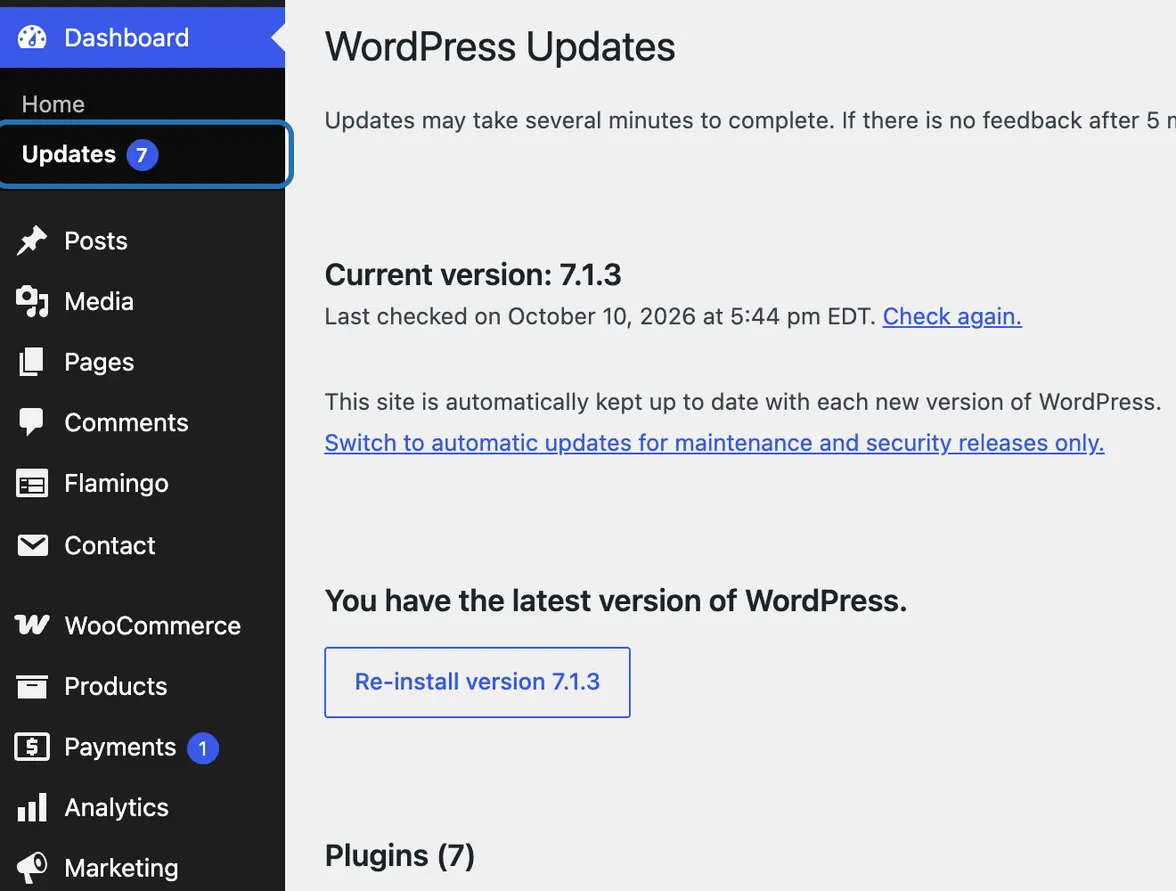
1. In your dashboard, go to Dashboard › Updates. It shows your WP version and lists every plugin and theme with a newer version.
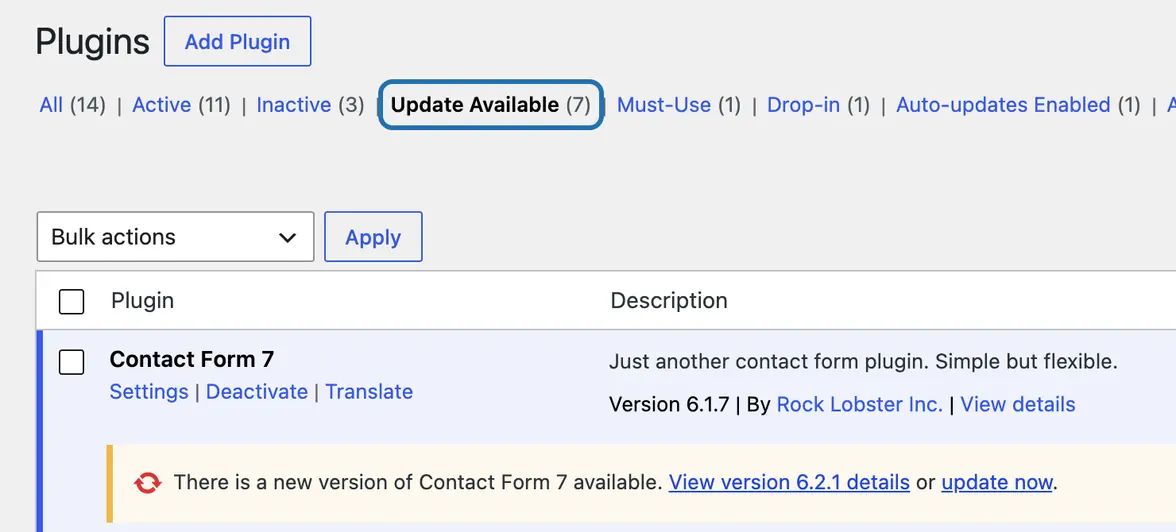
2. Go to Plugins › Installed Plugins and click Update Available. Each plugin there has a notice with its new version.
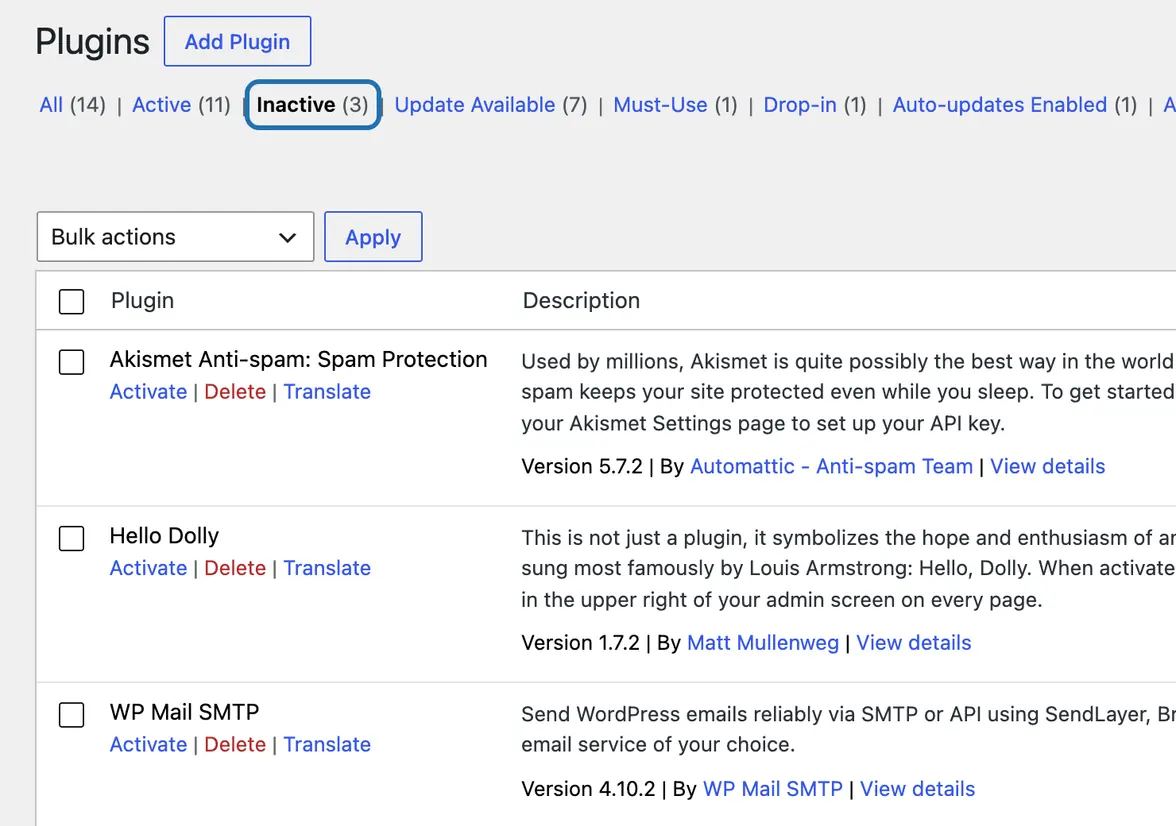
3. Click Inactive. Delete the plugins you no longer use: switched off, their files still sit on your server.
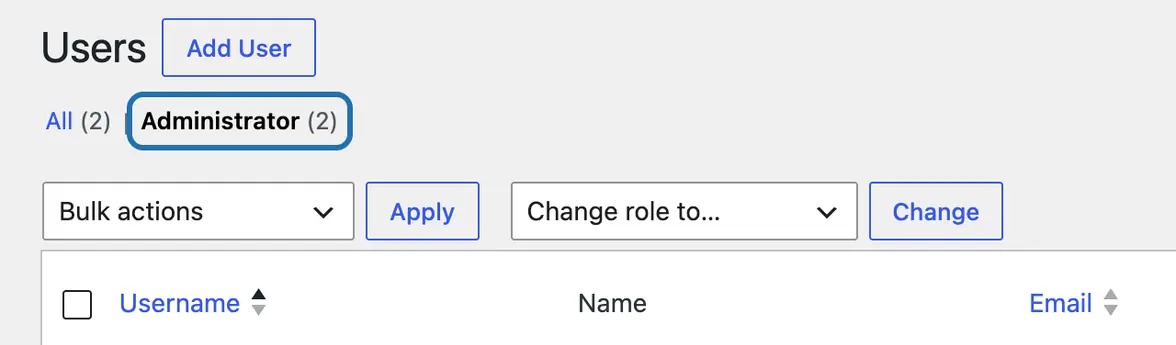
4. Go to Users › All Users and click Administrator above the list. Everyone listed there can change anything on your site.
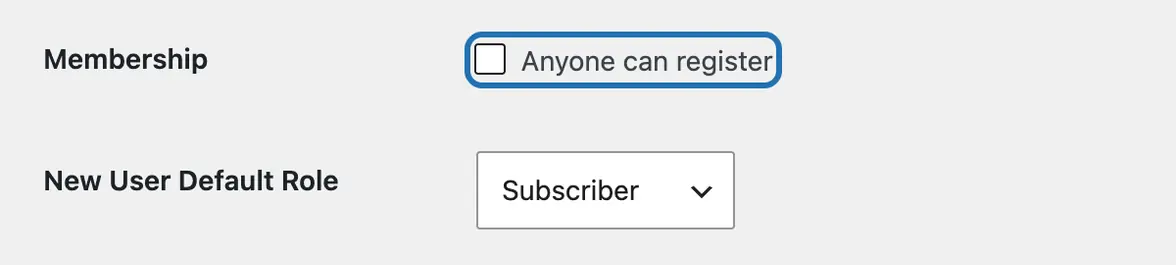
5. Go to Settings › General. Leave Anyone can register unticked unless visitors should sign up. New User Default Role should say Subscriber.
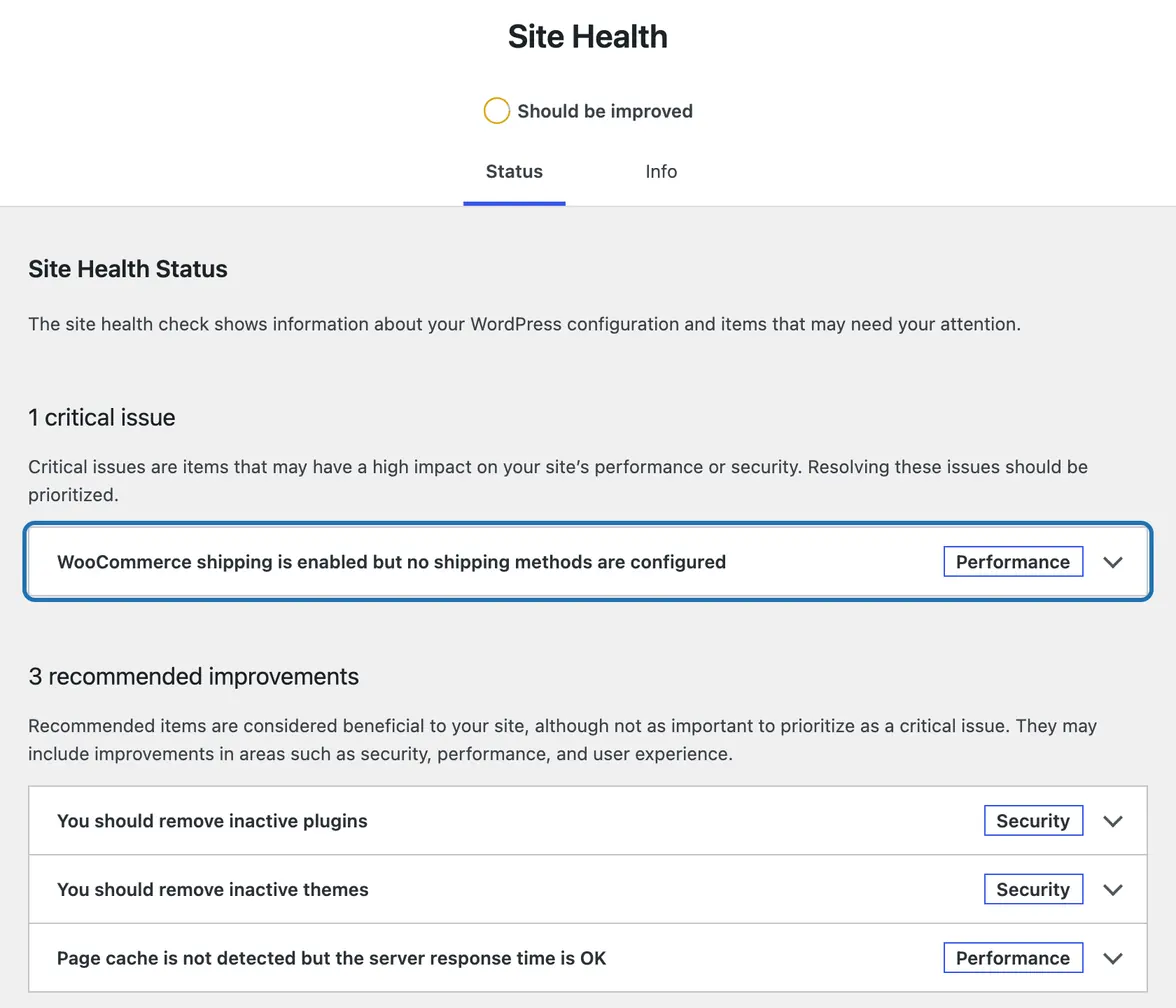
6. Go to Tools › Site Health. Open critical issues first, then recommended ones. The Info tab shows your PHP version, the language WP runs on.


Once a month is a good habit, and again after you add a plugin. Look for 3 things: plugins with a newer version, plugins you no longer use, and administrators you don't recognize.
What it won't do here
No malware or security scan
No speed or SEO audit
Users and passwords
Updates are one card per plugin
Premium plugins and WP itself
Why it won't wreck your site
Asking changes nothing.
Nothing changes until you press the button.
Updates put themselves back.
Free to start
| No account | With your email | Paid plan | |
|---|---|---|---|
| Changes | 3 to try it | 10 every month | Coming. Nothing costs money until you choose it. |
| Questions | 30 a day | 100 a day | |
| If it breaks | Daily check and crash rescue | The same, plus email alerts |
Undo a change within 24 hours and it doesn't count. If you haven't added an email after 30 days, only crash rescue stays on until you add one. A change is one card you approve. A job that touches several pages or plugins is several changes.
Questions
What does a WordPress site audit check?
Usually 4 things: plugins and themes with a newer version, plugins you don't use, who can log in as an administrator, and what WP's Tools › Site Health flags. Bigger audits add speed, SEO and security scans. Asked in the chat, CMSHands lists the outdated plugins and the administrators for you.
Is there a WordPress audit plugin?
WP has one built in: Tools › Site Health looks at your setup and lists what needs attention. CMSHands is a free plugin that adds a chat, so you can ask for an audit in plain words. Plugins called “audit log” do something else: they record who changed what, and when.
Does it scan for malware or check my SEO?
No. It reads what's installed and who can log in, and tells you. It doesn't scan your files for malware, and it doesn't audit your SEO. It can tell you why a page is slow, but it can't speed it up. For malware, use a security plugin or ask your host.
Can I check a WordPress site that isn't mine?
Not with CMSHands. It runs inside your own WP dashboard with an administrator login, so it only sees the site it's installed on. Online site checkers can look at a site from the outside, but they can't see inside your dashboard, like who's an administrator.
Can it update the outdated plugins too?
Yes, when you ask. Each plugin gets its own card, and nothing installs until you press its button. After each update it checks your site. If the site got worse, the old version goes back on its own. A plugin that's switched off isn't checked after its update, so switching it on afterwards is the real test. Plugins from the WP plugin directory only, and each update counts as one of your free changes.
Is it free?
Asking is free: up to 30 questions a day with no account, 100 once you add your email. Changes, like updating a plugin, are 3 to try it, then 10 a month once you add your email.
Written by CMSHands team.
Run the audit on your own site
Needs WP 6.3 to 7.1, PHP 8.0 or newer, and an administrator login. One site per install.
The download is a plugin. Turning it on connects your site to cmshands.com and adds 3 small rescue files. Deleting the plugin removes them and everything it stored. What we send
Download the plugin.
It's free: 3 changes to try it. No account, no card.
Upload and activate it.
In your dashboard: Plugins › Add Plugin › Upload Plugin (Add New Plugin on older WP). Choose the file, press Install Now, then Activate Plugin.
Press Turn on.
Press Turn on CMSHands. No account, no key, no password.