
Is this plugin OK for my PHP version?
A free plugin adds a chat to your WP dashboard. Running PHP 8? Ask “Does WP Mail SMTP work with the PHP version my site runs?” It names both versions.
It checks the plugin's own requirements against your site. Nothing changes.
- Nothing changes without your OK
- Undo in one click, or a warning first
- No account, no password to share
Needs WP 6.3 to 7.1, PHP 8.0 or newer, and an administrator login. One site per install.
The download is a plugin. Turning it on connects your site to cmshands.com and adds 3 small rescue files. Deleting the plugin removes them and everything it stored. What we send
Does WP Mail SMTP work with the PHP version my site runs?

Watch it do this on a real site

You ask
You type the question into the chat in your WP dashboard, the way you'd ask a person.
Does WP Mail SMTP work with the PHP version my site runs?
It answers
It looks up your plugins and reads a file on your site, then answers. Nothing on the site changed.
Yes. WP Mail SMTP 4.10.2 asks for PHP 7.4 or newer, and your site runs PHP 8.4.26 — comfortably above it. It also asks for WordPress 5.5 or newer, and you are on 7.1.3. One thing worth knowing: the plugin is installed but switched off, so it is not handling your email at the moment.
- 3 secondsListing your plugins and themes
- Checking whether WordPress is loading
- 4 secondsReading a file on your site
A real run on our test site, Oct 10, 2026. Questions change nothing, so there's no button: this is the answer it gave.
That's the whole job. The plugin is free: 30 questions a day, no account. Asking changes nothing on your site.
Needs WP 6.3 to 7.1, PHP 8.0 or newer, and an administrator login. One site per install.
The download is a plugin. Turning it on connects your site to cmshands.com and adds 3 small rescue files. Deleting the plugin removes them and everything it stored. What we send
How to check a plugin's PHP version in WordPress yourself
Checked on WP 7.1, Oct 11, 2026
1. In your dashboard, go to Tools › Site Health and click the Info tab.

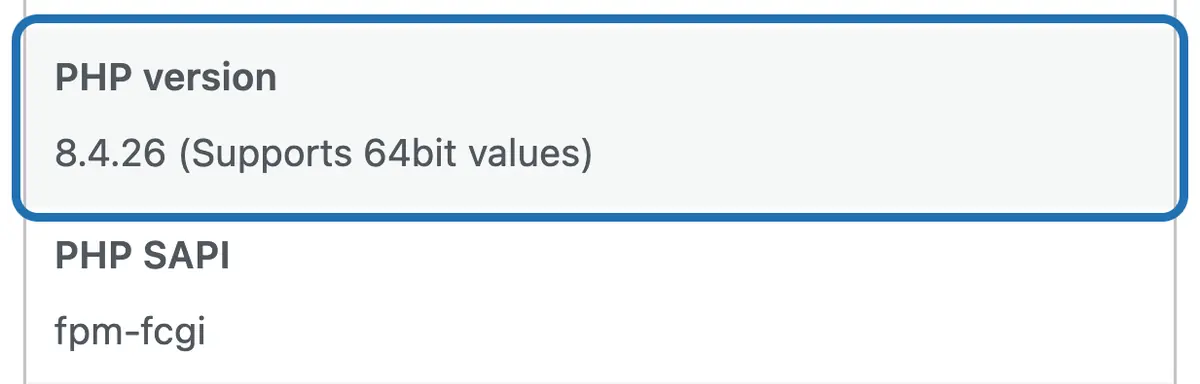
2. Click Server. The PHP version line shows it: PHP is the language WP runs on, and your host sets the version.
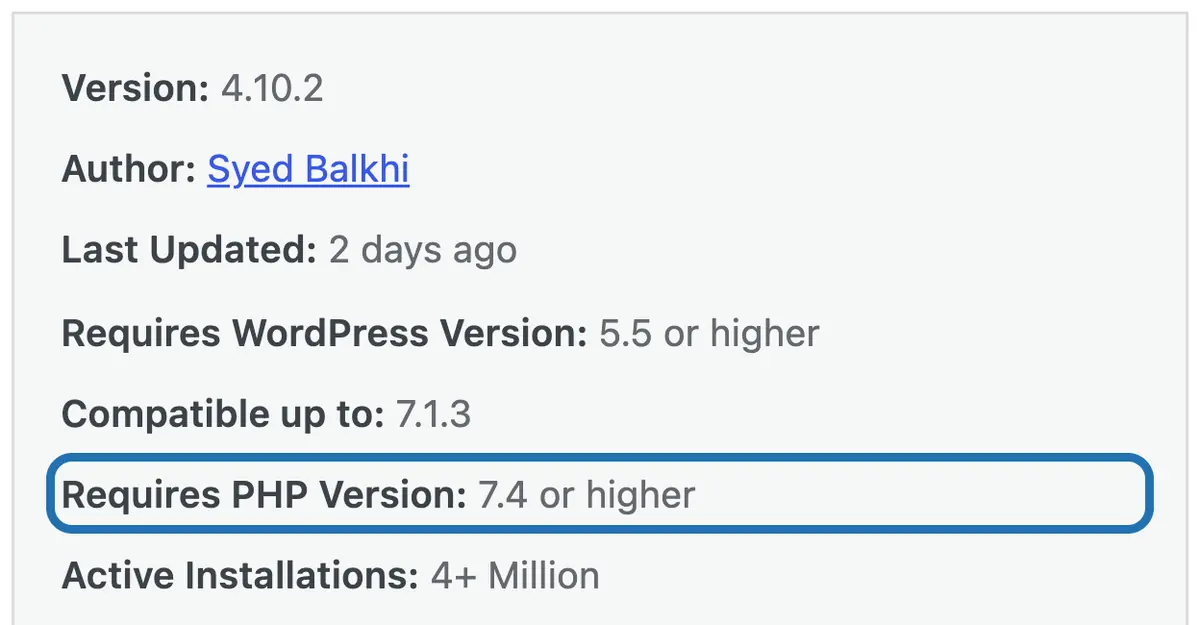
3. Go to Plugins › Installed Plugins. Under the plugin's description, click View details.

4. In the window that opens, find Requires PHP Version. That's the oldest PHP the plugin's makers support.
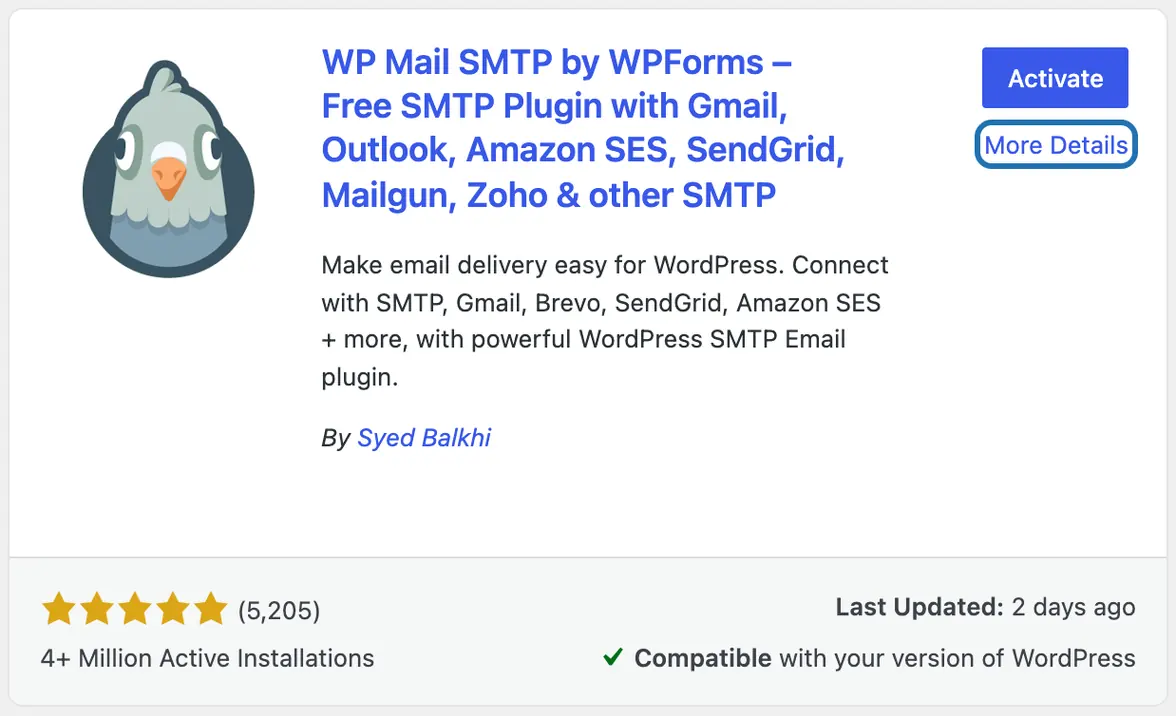
5. Not installed yet? Go to Plugins › Add Plugin, search for it and click More Details. The same window opens.
6. Compare them. If your PHP is the same or newer, the makers say it works. If it's older, ask your host to update PHP first.


WP checks the same number: it won't switch on a plugin that asks for a newer PHP than your server runs. But “Requires PHP” is only the oldest version the makers support. A plugin nobody has updated in years may still break on PHP 8, so look at Last Updated in the same window too.
What it won't do here
It reads what the plugin says, not its code
Premium plugins you haven't installed: it can't look them up
It can't change your PHP version
Why it won't wreck your site
Asking changes nothing.
Nothing changes until you press the button.
Free to start
| No account | With your email | Paid plan | |
|---|---|---|---|
| Changes | 3 to try it | 10 every month | Coming. Nothing costs money until you choose it. |
| Questions | 30 a day | 100 a day | |
| If it breaks | Daily check and crash rescue | The same, plus email alerts |
Undo a change within 24 hours and it doesn't count. If you haven't added an email after 30 days, only crash rescue stays on until you add one. A change is one card you approve. A job that touches several pages or plugins is several changes.
Questions
How do I check if a plugin works with PHP 8?
Compare two numbers. Your PHP version is in Tools › Site Health › Info › Server. What the plugin needs is under Requires PHP Version when you click View details on the Plugins screen. If yours is the same or newer, the plugin's makers say it works. Check Last Updated too: a plugin nobody has touched in years may never have been tried on PHP 8.
Is there a PHP compatibility checker for WP plugins?
Yes, some tools scan a plugin's code for lines that newer PHP versions don't allow. CMSHands doesn't scan code. It reads the PHP version each plugin says it needs, compares it with your server's, and answers in plain words. For a full test, try the newer PHP on a copy of your site first. Many hosts call that a staging site.
How do I find my site's PHP version?
In your dashboard, go to Tools › Site Health, open the Info tab, then Server. The PHP version line shows it. Your host sets this version, and most hosts let you change it in their control panel. When you ask CMSHands about a plugin, it reads your version for you, as in the run above.
What if a plugin needs a newer PHP than my site has?
WP won't let you install it or switch it on. It tells you the plugin doesn't work with your version of PHP. Ask your host to move your site to a newer PHP. Before you do, check your other plugins the same way, so the move doesn't break one of them.
Can it check a plugin before I install it?
Yes, for plugins in the WP plugin directory. Ask the same question about one you haven't installed, and it looks the plugin up and checks it against your WP and PHP versions. It can install it for you too. That's a change, so it shows you a card first: a box in the chat that shows exactly what would change.
Is it free?
Yes. Questions like this one are free, up to 30 a day with no account, or 100 a day once you add your email. Changes are free to try: 3 with no account, then 10 a month with your email.
Written by CMSHands team.
Try it on your own plugins
Needs WP 6.3 to 7.1, PHP 8.0 or newer, and an administrator login. One site per install.
The download is a plugin. Turning it on connects your site to cmshands.com and adds 3 small rescue files. Deleting the plugin removes them and everything it stored. What we send
Download the plugin.
It's free: 3 changes to try it. No account, no card.
Upload and activate it.
In your dashboard: Plugins › Add Plugin › Upload Plugin (Add New Plugin on older WP). Choose the file, press Install Now, then Activate Plugin.
Press Turn on.
Press Turn on CMSHands. No account, no key, no password.